Features of EVBox Install:
Comprehensive Station Configuration
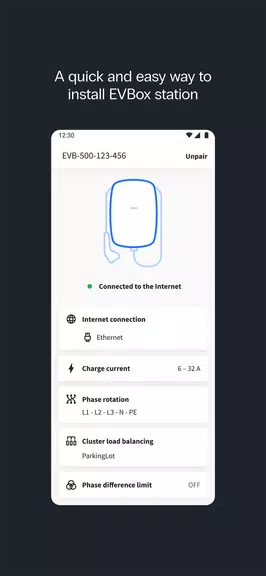
The app provides installers with the ability to perform a thorough setup and configuration, addressing all necessary aspects to guarantee the optimal performance of the charging station.
Network Connectivity Options
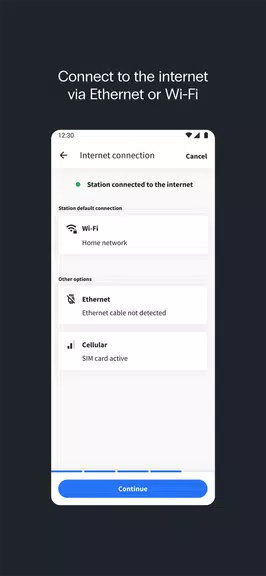
Seamlessly connect charging stations to Ethernet, Wi-Fi, or cellular networks, ensuring smooth communication with service providers for uninterrupted operations.
Adjustable Charging Current
Installers can fine-tune the maximum charging current, allowing for tailored energy management that aligns with station needs and local constraints.
Intelligent Current Balancing
Enhance energy distribution by setting up current balancing, which ensures efficient power usage and maintains stability across multiple charging points.
Streamlined Firmware Updates
The app facilitates automatic firmware updates, keeping each charging station equipped with the latest features and security improvements.
Built-In Installation Guidance
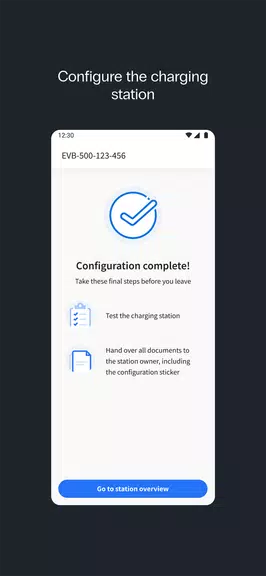
With clear, step-by-step instructions embedded within the app, installers can complete the setup process swiftly and accurately, minimizing installation time.
Tips for Users:
Verify Network Compatibility Early
Before starting the setup, ensure the network connection type—be it Ethernet, Wi-Fi, or cellular—is compatible with the station to prevent future complications.
Adjust Charging Current Based on Capacity
Tailor the charging current according to the available power supply to avoid overloads and ensure optimal charging efficiency at each station.
Use Current Balancing for Multiple Stations
Enable current balancing when managing multiple stations on the same network to ensure an equitable distribution of power.
Check Firmware Update Availability
Regularly update the firmware to access the latest features and security enhancements, ensuring the continued smooth operation and longevity of each charging station.
Follow the In-App Installation Guide
Adhere strictly to the app’s installation instructions to complete each setup step correctly, saving time and preventing potential errors.
Conclusion:
The EVBox Install app is an indispensable tool for professional charging station installers, offering comprehensive configuration options and a streamlined setup process. From facilitating network connectivity to allowing precise current adjustments and ensuring regular firmware updates, the app provides everything needed for reliable, high-quality installations. The integrated guides further enhance the process, ensuring efficient and accurate station setup. With EVBox Install, installers have access to all the tools necessary to ensure charging stations operate flawlessly, making it a vital resource for efficient and expert installations every time.