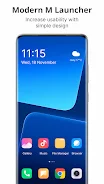
M Launcher is a revolutionary app that will transform your Android phone into a sleek and powerful device. Inspired by the design of the Mi 12 Launcher, it offers a unique and customized look and feel that will impress your loved ones and friends. With its built-in support of File Explore and File Manager, you can easily search, explore, and manage your files and folders with ease. The app also features an intuitive app menu, action center, and stylish tiles for easy navigation to your favorite apps. You can even personalize your desktop with widgets, live wallpapers, and customizable taskbar icons. Plus, with its multi-tasking option and lock screen feature, you have complete control over your device. Experience the future of Android with M Launcher.
Features of M Launcher:
❤️ File Manager: Easily search and explore your files and folders, copy, paste, zip/unzip, and share files with others. It has a user-friendly interface resembling a desktop computer design.
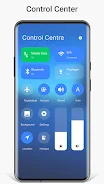
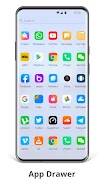
❤️ System Features: Access the app menu and action center to check notifications from applications or the system. Stylish tiles in the start menu provide quick access to frequently used apps. The improved drag and drop feature, along with customizable desktop folders, make navigation easier.
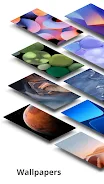
❤️ Widgets: Customize your home screen with various widgets such as clock, weather, RAM info, and live wallpapers. You can also remove taskbar icons and add widgets in desktop mode.
❤️ Themes and Icon Pack: Change the overall look and feel of your Android device with different themes and icon packs. Improved themes compatibility ensures a seamless user experience.
❤️ Lock Screen: Enhance the security of your phone with a lock screen feature. Choose from multiple lock screen styles and customize it according to your preference.
❤️ Built-in Gallery Feature: View and manage your photos conveniently with the built-in gallery feature. You can also change the photo tiles on your home screen for a personalized touch.
Conclusion:
With the M Launcher app, you can transform your Android device into a personalized and efficient system. It offers a file manager for easy file organization, customizable widgets for quick access to information, and various themes and icon packs to suit your style. The lock screen adds an extra layer of security, while the built-in gallery feature allows you to manage your photos with ease. Upgrade your Android device and experience a better, more organized mobile system with M Launcher. Click here to download now and unlock the full potential of your phone.