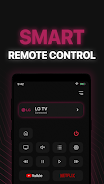
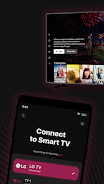
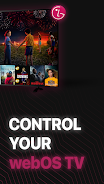
Experience effortless LG TV control with our smart remote app! Designed for seamless Android integration, this app offers a sleek interface and powerful features for accessing your favorite movies and shows. Simply connect your phone and TV to the same Wi-Fi network, enter the PIN, and enjoy complete control.
Key Features of this LG TV Remote App:
Full Functionality: Control your LG TV with ease using a complete set of virtual buttons and features.
Smart Keyboard: Quickly search for shows and movies using a streamlined text input and search function.
Favorites at Your Fingertips: Access your favorite channels and apps instantly.
High-Definition Screen Mirroring: Enjoy your phone's screen on your LG TV in stunning high definition.
Versatile Casting: Cast local media (photos and videos) and web videos directly to your LG TV for expanded entertainment options.
Effortless Connection: Connect your app to your LG Smart TV quickly and easily.
Ready to Upgrade Your Viewing Experience?
Download the LG TV Remote app today and enjoy seamless control and enhanced functionality. (Please note: This app is not affiliated with LG Electronics.)