Application Description
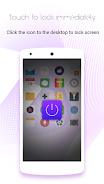
Experience effortless phone locking with One Touch Lock Screen! This app lets you instantly secure your device with a single tap of the One Touch icon on your desktop, eliminating the need to hunt for your power button. Enjoy the convenience of freezing your screen anytime, ideal for pausing videos or quickly switching apps without full unlocking.
Key Features:
- Instant Locking: Secure your phone instantly with a single click. No more fumbling for the power button!
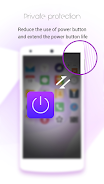
- Power Button Protection: Extend the life of your power button by minimizing wear and tear.
- Convenient Screen Freeze: Quickly pause your screen without completely unlocking your phone.
- User-Friendly Design: Simple and intuitive operation for effortless locking.
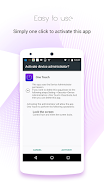
- Enhanced Security: Utilizes Device Administrator permissions for added security and control.
- Easy Deactivation: Easily remove the app through Settings > Security > Device Administrators > One Touch > Deactivate.
One Touch Lock Screen offers unparalleled convenience, security, and ease of use. Download now and experience the difference!
Screenshot