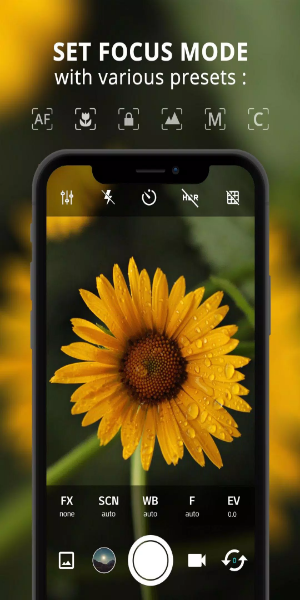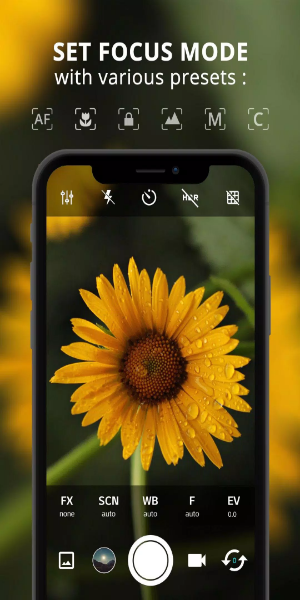

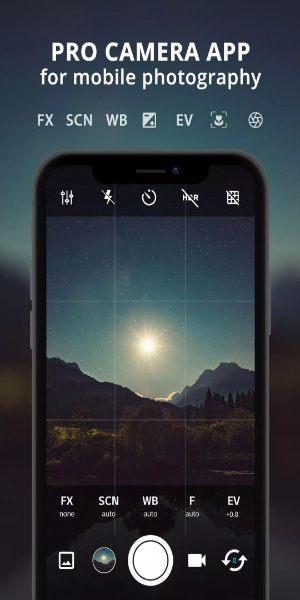
ProCam X Lite: HD Camera Pro is a feature-packed application designed to enhance your mobile photography. It provides professional-level tools for capturing stunning high-definition photos and videos right from your smartphone. Suitable for both beginners and experts, the app offers intuitive control over settings like exposure, ISO, focus, real-time filters, and editing features. Every moment is captured with clarity and creative potential. Experience professional-quality mobile photography where creativity and convenience unite with ProCam X Lite.
Features
- Exposure Control: Gain complete control by locking or manually setting exposure to achieve the ideal blend of light and shadow in any situation.
- White Balance Control: Tailor the white balance to your environment for true-to-life colors, whether indoors or out in natural daylight.
- Manual ISO: On camera2api-supported devices, adjust ISO settings manually to regulate sensor sensitivity, minimize noise, and capture clean images in low light.
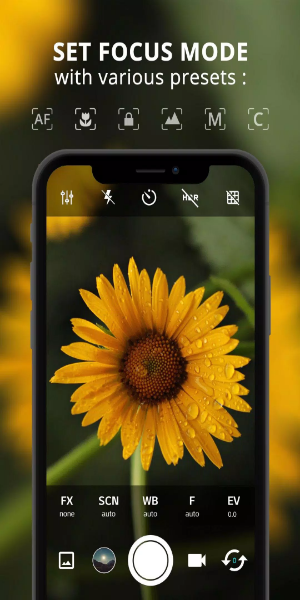
- Manual Focus: Enabled by camera2api, manually control focus for razor-sharp clarity and professional precision in your shots.
- Manual Shutter Speed: Manage exposure time on compatible devices to capture dramatic motion blur or freeze fast-moving subjects.
- Intervalometer: Create stunning time-lapse or stop-motion videos effortlessly by automating shots at set intervals.
- Burst Shooting Mode: Rapidly capture multiple shots to ensure you never miss the perfect moment—ideal for action scenes and spontaneous expressions.
- Custom Video Bit Rate: Adjust the video bit rate to improve recording quality according to your storage and preference, delivering crisp results with fewer compression artifacts.
- Real-time Filters/Color Effects: Experiment with live filters and color effects to instantly transform your photos and express your unique creative style.
- Geotagging: Automatically tag photos with location data, making it easy to organize and relive memories from your travels and daily life.
- Anti Shake: Reduce camera shake and improve image stability for sharper photos, even in challenging conditions or while zooming.

How to Use
1. Installation and Setup:
- Download ProCam X Lite from the Google Play Store and install it on your device.
- Launch the app and allow permissions for camera and storage access.
2. Navigating the Interface:
- Get comfortable with the straightforward layout, featuring settings for exposure, ISO, shutter speed, and white balance.
- Explore extra options including real-time filters, grid lines, and geotagging.
3. Setting up Manual Controls:
- On supported camera2api devices, activate manual controls for ISO, focus, and shutter speed.
- Fine-tune these settings to achieve perfect exposure, sharpness, and motion effects.
4. Exploring Shooting Modes:
- Try Burst Mode to capture a fast sequence of images.
- Use the Intervalometer to shoot time-lapses or stop-motion videos with custom intervals.
5. Enhancing Creativity with Filters:
- Apply live filters and color adjustments to quickly change the mood and appearance of your photos.
- Customize each image to reflect your artistic intent.
6. Utilizing Geotagging:
- Turn on geotagging to embed location details automatically into each photo.
- Organize and revisit your images based on where they were taken.
7. Optimizing Video Recording:
- Modify video settings, such as resolution and bitrate, to balance quality with storage.
- Record HD video with optional audio to preserve special moments.
8. Managing Preferences and Settings:
- Personalize your app experience by turning off shutter sounds or assigning volume keys for snaps.
- Check out anti-shake mode to stabilize shots and improve clarity.
9. Reviewing and Sharing:
- Preview photos and videos in the app before saving or posting.
- Share your work directly from ProCam X Lite on social media or cloud services.
10. Continuous Learning and Experimentation:
- Keep exploring ProCam X Lite’s tools and updates as they roll out.
- Experiment with various photography techniques to grow your skills and creativity.
Using these steps, you'll get the most out of ProCam X Lite: HD Camera Pro, allowing you to take professional-grade photos and videos on your Android device and enriching your mobile photography journey.
Conclusion:
ProCam X Lite: HD Camera Pro is your go-to mobile photography companion, offering a rich toolkit of professional settings, manual controls, filters, and organizational features. Easy enough for casual shooters and powerful enough for pros, it simplifies capturing and enhancing high-quality visuals on the go. Whether you're refining your skills or exploring new creative avenues, ProCam X Lite makes it all accessible and enjoyable. Dive into professional smartphone photography today and bring your visual stories to life with ProCam X Lite.