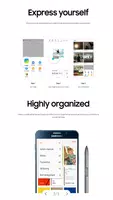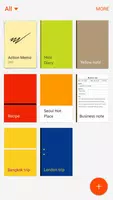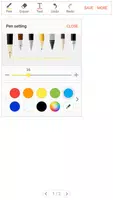
Samsung's S Note app is a powerful note-taking solution for Galaxy devices, enabling effortless creation, organization, and sharing of notes. It boasts a rich feature set including handwriting recognition, text input, and multimedia attachments (images, audio, sketches). Users can personalize notes with diverse colors and styles, making it ideal for personal and professional use.
Key S Note Features:
- Comprehensive Functionality: S Note provides a wide array of tools, from freehand writing and drawing to multimedia integration and note categorization, catering to diverse user needs.
- Seamless Synchronization: Sync notes across multiple devices using Samsung or Evernote accounts for convenient access anytime, anywhere.
- Extensive Customization: Personalize notes with charts, sketches, pictures, voice recordings, and custom backgrounds.
- Extension Pack Enhancements: The optional Extension Pack unlocks additional features such as quick access buttons, improved shape recognition, and text conversion for a streamlined workflow.
Frequently Asked Questions:
- S Pen Dependency: While S Note functions on non-S Pen devices, some S Pen-specific features will be unavailable.
- Permissions: S Note requires storage access; camera, microphone, location, and calendar permissions are optional for added functionality.
- Chart Creation: The Easy chart feature, exclusive to Galaxy Note devices, allows for creating and inserting various chart types into notes.
Summary:
S Note is a feature-rich note-taking app offering versatile tools, customization options, and effortless synchronization. The Extension Pack and Easy chart features further enhance the user experience, making notes more engaging and visually appealing. Ideal for students, professionals, and creatives alike, S Note effectively organizes thoughts, ideas, and data. Download the latest version (5.2.05.1, last updated April 27, 2023) for a stable and enhanced note-taking experience. This update focuses on improved stability.