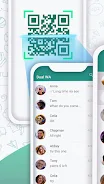
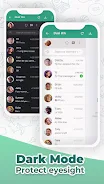
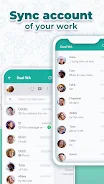
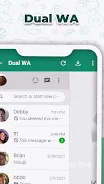
Introducing Web Scan - Dual Chat, the ultimate solution for managing multiple WhatsApp accounts seamlessly and conveniently. With this innovative app, you can now view and control two separate chat sessions on the same device, making it easier than ever to keep your personal and business conversations separate. No more juggling between devices or constantly switching accounts - simply scan the QR code and mirror your WhatsApp session. Plus, with our Direct Message feature, you can start chatting without having to save numbers. Experience the freedom and efficiency of Web Scan - Dual Chat today and take control of your WhatsApp experience. Please note that this app is not affiliated with WhatsApp LLC and is intended for fair use only. Any questions or suggestions?
Features of Web Scan - Dual Chat:
- View 2 side message: The app allows you to easily view and manage two WhatsApp accounts on the same device, making it convenient for personal and business use.
- Dual Text: With this feature, you can have two WhatsApp numbers on your phone or use one number on two different devices. This provides flexibility and convenience for managing multiple WhatsApp accounts.
- Easy to use: The app functions similar to WhatsApp Web, where you simply scan a QR code in the web browser to activate and mirror your WhatsApp session. Installing the app on another device and scanning the QR code allows you to use your WhatsApp number on multiple devices.
- Dual chat: This feature enables you to use two different accounts on the same device. You can have a personal and a business account, allowing you to separate your work and personal communications easily.
- Direct Message: This feature allows you to start a direct chat without saving the number. It eliminates the need to save numbers for checking WhatsApp application numbers, making it more efficient for quick communication.
- Contact us: If you have any questions or suggestions, the app provides a contact email address for you to reach out. This allows for easy communication with the app developers for any concerns or feedback.
In conclusion, Web Scan - Dual Chat offers a convenient and efficient way to manage multiple WhatsApp accounts on one device or across different devices. With features like dual chat and dual text, users can easily separate their personal and business communications. The app is easy to use, with a simple QR code scanning process, and also provides a direct messaging feature for quick communication. If you have any questions or suggestions, the app developers are easily reachable through email.