XShare - File Transfer & Sharing
XShare is a fantastic tool for sharing files effortlessly. It's fast, free, and doesn't require an internet connection. With Wi-Fi Direct, it ensures secure and speedy file transfers between devices with just a few taps.
Highlights
- Instant connection and sharing with just a click, eliminating the need for QR code scanning.
- Lightning-fast transmission speeds: Experience rapid file transfers without relying on a network!
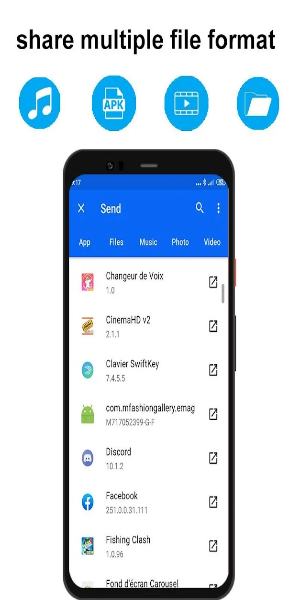
- Share a variety of files (Word, Excel, ZIP, folders, etc.), as well as movies, music, photos, and videos anytime, anywhere.
- Efficient File Manager: Quickly view and delete files with ease.
- Sleek new user interface: Intuitive navigation for seamless sharing and faster transfers.
User-Friendly Interface
XShare simplifies file transfer by leveraging Wi-Fi Direct technology for direct device-to-device connections. Unlike traditional networks, Wi-Fi Direct eliminates the need for a router. To utilize XShare, install the app on both sender and receiver devices.
Once connected, select files and tap "send." XShare swiftly transfers files via Wi-Fi Direct, outpacing traditional Wi-Fi or Bluetooth transfers. Its built-in file manager streamlines organization and browsing before sharing.
While XShare supports diverse features, its compatibility is restricted to Wi-Fi Direct-enabled devices, potentially excluding older models.
Efficient Sharing Tool
Despite its Wi-Fi Direct limitation, XShare facilitates swift and hassle-free file sharing, offering diverse features tailored to user needs. Though it has drawbacks, including limited compatibility, its rapid transfers and intuitive interface make it a preferred choice for many users.
Key Features
Offline Convenience: Swift transmission without the need for an internet connection, anytime, anywhere!
- Transfers hefty files swiftly without data usage.
Effortless Connectivity: Connect instantly with a single click, bypassing QR code scans.
- Seamless connection without QR code hassles!
Enhanced Speed:
- Experience rapid transfers, a more convenient alternative to Bluetooth!
Ironclad Security:
- Rest assured of privacy protection. Safeguard your files with Telegram's secure transmission!
Streamlined File Management:
- Effortlessly manage and delete files within a single app!
Revamped UI:
- Embark on a new transfer journey with our fresh user interface!
Top-notch Security:
- Ensuring file privacy with robust security measures!
Universal Compatibility:
- Send various file types across all Android devices effortlessly: apps, images (PNG, JPG), music, videos (MP3), documents, PDFs, zipped files, and more.
User Guide
Ensure that XShare is installed on both devices before proceeding. Follow these simple steps to transfer files:
- Choose the file and tap "Send/Receive" on your device.
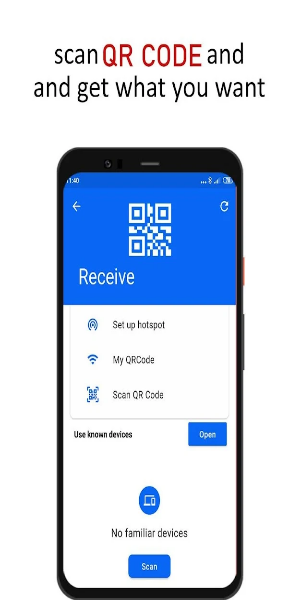
- The recipient scans the QR code to establish connection with the sender.
- Click to connect and send successfully!
It's that simple! Start sharing now!
Please note: During app usage, XShare will acquire location data to facilitate transfer connections. This involves: 1) Identifying nearby devices through Bluetooth scanning. 2) Creating a Wi-Fi hotspot for the receiving device. 3) Using the camera to scan QR codes for device connection. However, XShare will not store or upload location information in any circumstance.
Pros & Cons
Pros:
- Rapid file transfer
- User-friendly interface
- Supports various file types
- Unlimited sharing
Cons:
- Exclusive Wi-Fi Direct compatibility