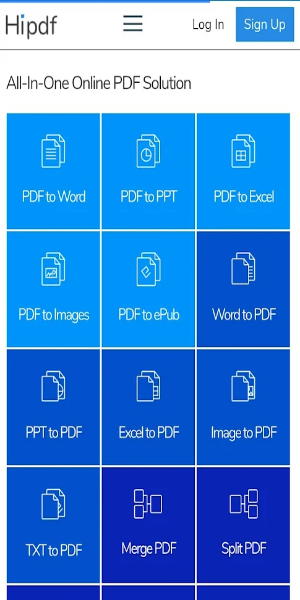
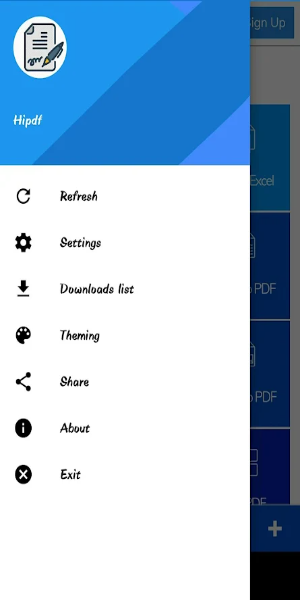
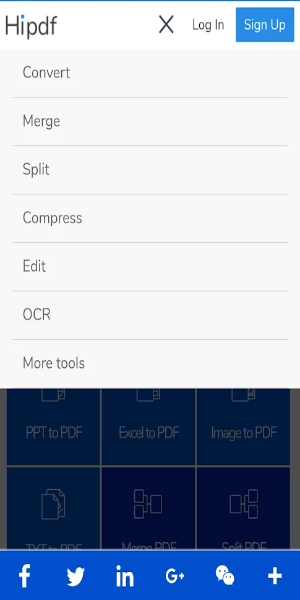
Hipdf is a powerful online PDF solution that lets you convert, merge, split, and compress PDF files in seconds. With no sign-up, no ads, and no watermarks, you can edit and manage your PDFs securely and efficiently. All tools are accessible directly from your web browser—offering a smooth, hassle-free way to handle any PDF task.
What Is Hipdf? An All-in-One PDF Platform
In today's digital world, having an efficient way to work with PDFs is essential—whether for school, work, or personal projects. Hipdf is a reliable and easy-to-use online service that delivers everything you need to manage PDFs with confidence. Offering a full range of features without requiring registration, displaying ads, or adding watermarks, Hipdf makes PDF handling simple. Let’s explore why this platform has become a must-use tool for all your document needs.
What is Hipdf?
Hipdf is a complete online PDF tool that helps you perform various tasks—from converting and merging to compressing and splitting documents. The interface is intuitive, so even beginners can use it with ease. Whether you're a professional, student, or casual user, Hipdf gives you the tools you need to get the job done right.
Top Features of Hipdf
PDF to Word Conversion
If you need to turn a PDF into an editable Word document, Hipdf's converter preserves the original format, fonts, and layout. This feature is perfect for editing documents or reusing content while keeping everything looking exactly as it should.
PDF to JPG Conversion
Need to turn PDF pages into high-quality images? Hipdf's PDF to JPG tool lets you extract photos or graphics from your files. This is ideal for sharing content visually or embedding PDF content into other types of media.
Merge PDFs
When you need to bring multiple PDFs together into one single file, Hipdf’s merging tool makes it simple. Drag and drop your files, arrange the pages as you like, and create a unified document in just a few clicks.
Split PDFs
Large PDFs can be hard to manage—so Hipdf makes it easy to split them. Whether you want to remove certain pages or divide your document into smaller parts, you get full control over which pages to extract or separate.
Compress PDFs
If your PDFs are too big to share or store, use Hipdf’s compression tool. It shrinks file sizes without losing quality—ensuring faster uploads and better organization.
Edit and Annotate PDFs
Beyond basic conversions, Hipdf also lets you edit text, highlight sections, insert comments, and add stamps. These features are great for collaboration, reviews, or marking up important information.
No Registration Required
Use Hipdf immediately—no account or login needed. This saves time and keeps your personal information private while giving you full access to all the tools.
Ad-Free and Watermark-Free
Many free PDF tools insert ads or watermarks into your final documents. Hipdf does neither, providing a clean workspace and professional output every time.
No Downloads Necessary
Everything runs in your browser—no software installation required. That means you can access Hipdf from any device, from anywhere, without technical headaches.
User-Friendly Interface
Hipdf’s clean layout and drag-and-drop functionality make it easy for anyone to use. Work quickly, move files freely, and finish your PDF tasks with confidence.
Benefits of Using Hipdf
-Convenience: Manage PDFs from any device—no extra software or installs required.
-Efficiency: Use smart tools that speed up your workflow.
-Privacy and Security: All work stays private; no watermarks or personal data is collected.
-High-Quality Output: Every conversion, merge, split, and compression keeps the original document quality intact.
Conclusion:
Hipdf is the ultimate web-based PDF assistant—easy to use, feature-rich, and completely free of ads, registration, and watermarks. No matter what you need—converting to Word or JPG, merging multiple files, or compressing large documents—Hipdf is ready to help. Visit the site or download the app now and see how it simplifies your document workflow for better productivity every day.