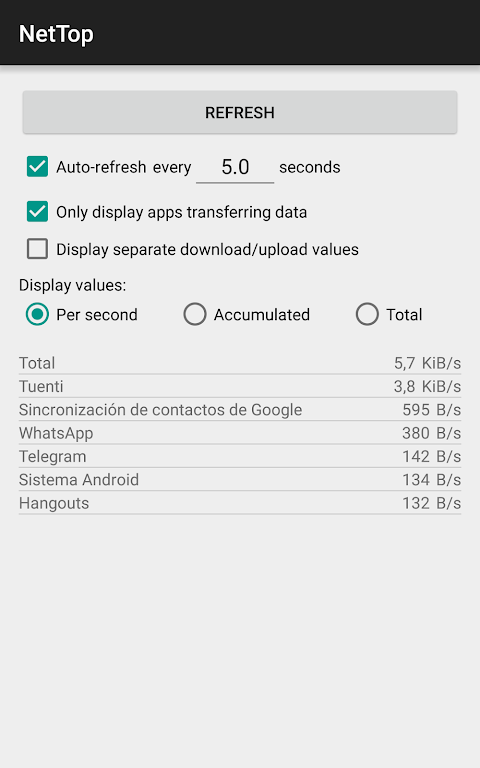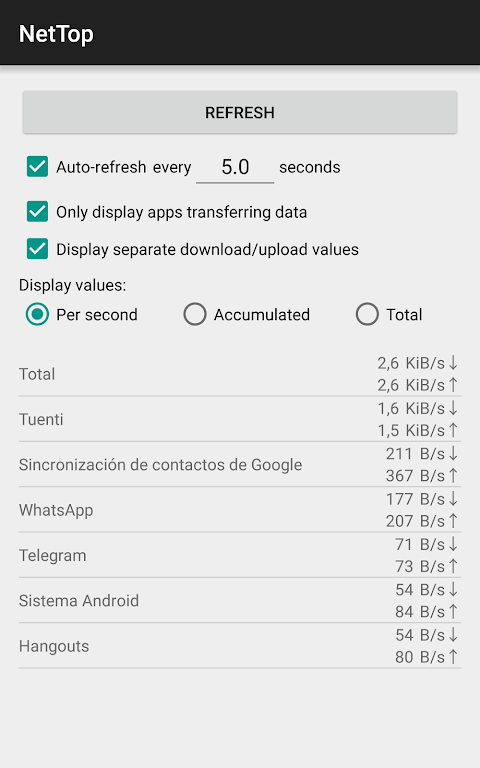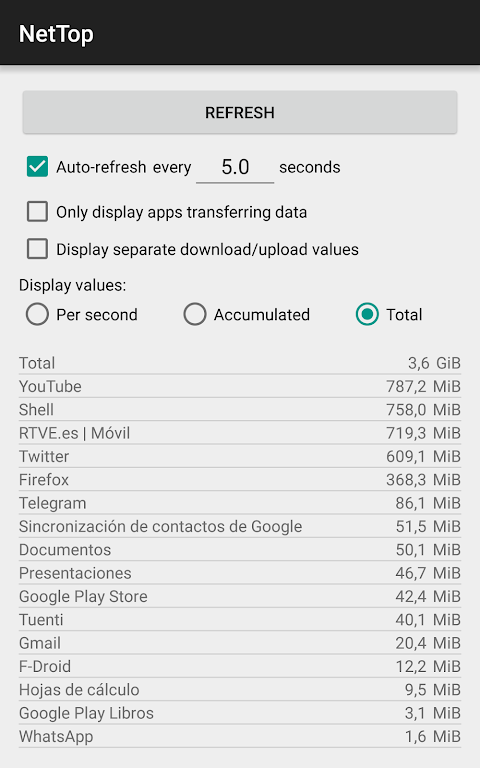
NetTop: RealTime Network Meter is an indispensable tool for anyone looking to manage their device's network data usage effectively. This powerful app allows you to monitor which apps are consuming network data and how much, all in real-time. The user-friendly interface enables you to customize the display to show data transfer per second, traffic since the last refresh, or total traffic since the device was booted. Additionally, it offers the ability to distinguish between download and upload values, giving you a comprehensive view of app traffic. You can also adjust the refreshing intervals or manually refresh the data to keep your information current.
Features of NetTop: RealTime Network Meter:
Different Display Value Types: The app provides the flexibility to configure the display to show various value types, including per second, traffic since the last refresh, or total traffic since device boot. This customization helps you track data usage in a way that suits your needs.
Display Separate Download/Upload Values: You can easily monitor whether an app is downloading or uploading data. The app splits traffic into separate download and upload values, offering a clear insight into data usage patterns.
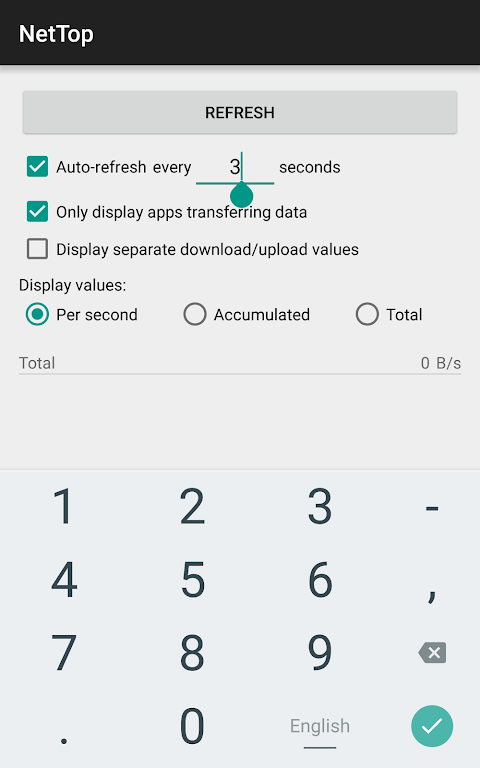
Configurable Refreshing: The app automatically updates the list of apps transferring data and their transfer speeds. You can set the refresh interval to your preference and manually trigger an immediate refresh using the Refresh button, which is particularly handy if you turn off auto-refreshing.
Tips for Users:
Customize Display Settings: Explore the different display value types to find the most informative and useful format for tracking network data usage.
Identify Data-Hungry Apps: Monitor the app list to pinpoint which apps are using the most network data, helping you manage your device's data usage more efficiently.
Monitor Download and Upload Activities: Use the feature to display separate download and upload values to gain insights into app traffic, which can help identify background processes or potential data leaks.
Conclusion:
NetTop: RealTime Network Meter is a vital tool for real-time monitoring of network data usage. With customizable display options, including different value types and separate download/upload values, you can effectively track and manage data usage on your device. The flexible refreshing feature ensures you have the most up-to-date information on app data transfers and speeds. By leveraging the app's features and following the provided tips, you can optimize your device's network usage and prevent unexpected data overages. Download NetTop: RealTime Network Meter today to take full control of your network data.