Quick Navigation
Marvel Rivals offers a fresh take on the hero shooter genre, setting itself apart from titles like Overwatch despite sharing some similarities. While the game launched successfully, some players have encountered frustrating issues, particularly unwanted communication from other players. This guide explains how to block and mute players in Marvel Rivals, helping you create a more enjoyable gaming experience.
How to Block Players in Marvel Rivals
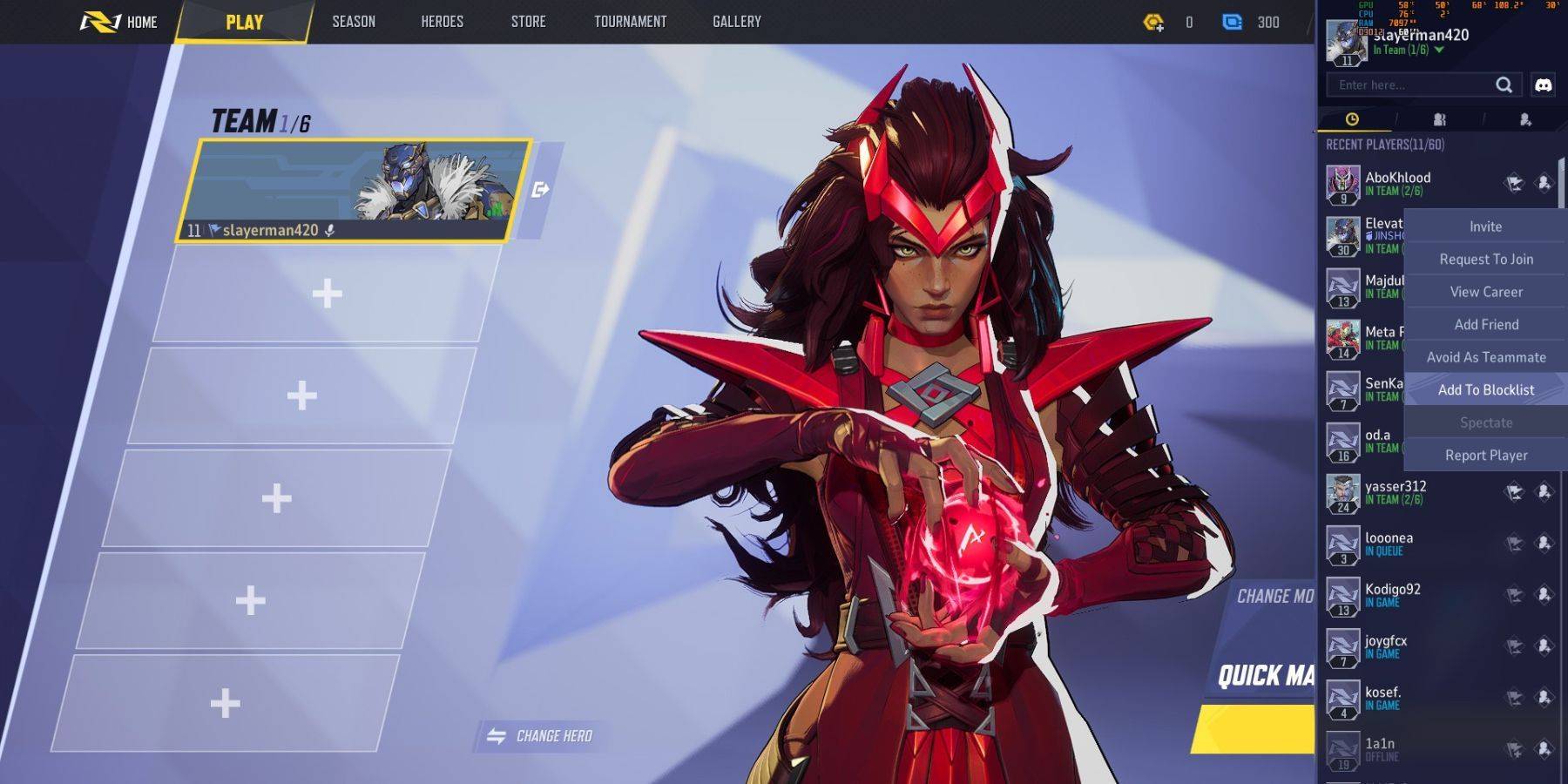
Encountering uncooperative or disruptive players is unfortunately a possibility in online games. Blocking a player in Marvel Rivals prevents you from being matched with them in future games. Here's how:
- Navigate to the Marvel Rivals main menu.
- Go to the Friends list.
- Select "Recent Players."
- Find the player you wish to block and select their profile.
- Choose the option to "Avoid as Teammate" or "Add to Blocklist."