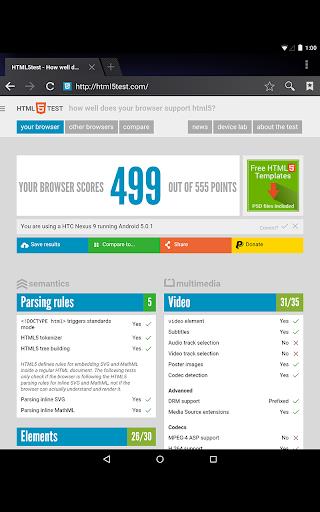
Android System WebView is a vital system component on Android devices, enabling apps to seamlessly display web content. Utilizing the Chrome browser engine, it renders web pages directly within applications, providing a smooth browsing experience without the need to switch to an external browser. Regular updates to Android System WebView are crucial, as they enhance both security and performance, ensuring that users can enjoy the most current web standards and features.
Features of Android System WebView:
⭐ Seamless Integration: Android System WebView integrates web content within apps flawlessly, offering a smooth and uninterrupted user experience.
⭐ Security Updates: Keeping your Android System WebView updated ensures you benefit from the latest security patches and bug fixes, thereby increasing the safety of your device.
⭐ Chrome Powered: Leveraging the power of Chrome, it delivers a fast and dependable browsing experience within apps.
⭐ Resource Efficiency: Designed with efficiency in mind, Android System WebView optimizes performance while minimizing battery consumption.
Tips for Users:
⭐ Check for Updates Regularly: To take advantage of the latest security enhancements and bug fixes, regularly check for and install updates to Android System WebView.
⭐ Clear Cache and Data: Periodically clearing the cache and data of Android System WebView can boost performance and fix any issues you might encounter.
⭐ Disable if Necessary: Should you experience compatibility issues with certain apps, you have the option to disable Android System WebView and use the Chrome browser as an alternative.
Conclusion:
Android System WebView plays a crucial role in enhancing the in-app browsing experience on Android devices. By keeping it up to date, you ensure improved security, performance, and efficiency. Make the most of this integrated solution for displaying web content and elevate your Android device's capabilities.
What's New
Minor bug fixes and improvements. Install or update to the newest version to check it out!