Magisk Manager: Your Android Root Access Control Center
Magisk Manager is the essential tool for managing root access on Android devices. Post-rooting, it provides granular control over which apps receive root permissions. For enhanced security, it incorporates biometric authentication (fingerprint or facial recognition) for superuser authorization.
Key Features:
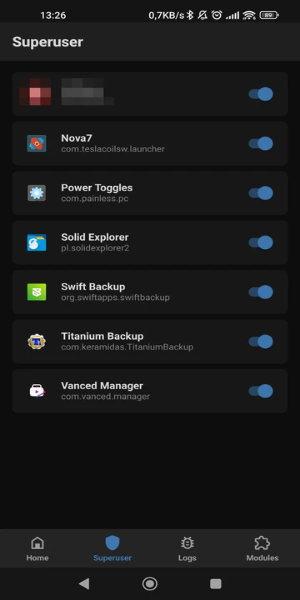
- Root Permission Management: Effortlessly manage root access for individual apps after rooting your device. Grant or deny permissions as needed.
- Robust Security: Biometric authentication adds a significant layer of security, preventing unauthorized root access.
- Module Installation: Install a wide range of root-related modules, including the SafetyNet Fix module, which helps mask root access from certain applications.
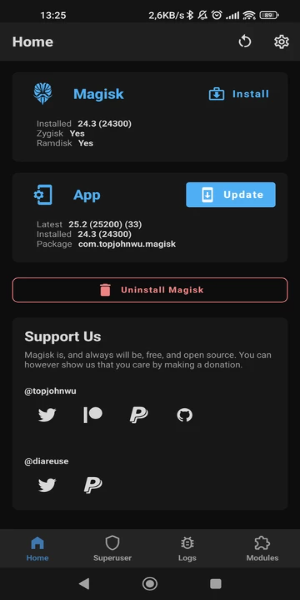
- Zygisk Optimization: Utilize Zygisk for improved efficiency. This allows for faster and more streamlined module performance by pre-loading resources in system memory.
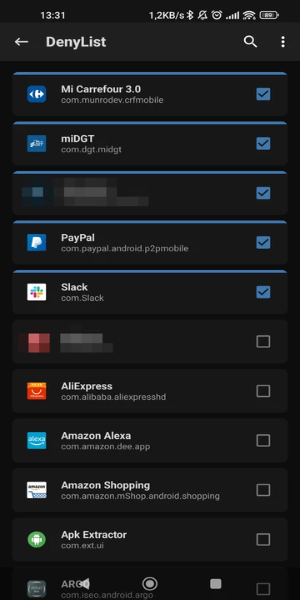
- Selective Root Hiding: Maintain compatibility with sensitive apps (banking, gaming, payment apps) by selectively hiding root access from specific applications.
Frequently Asked Questions:
- What is Magisk Manager? The official application for managing root access on Android, enabling users to control app permissions and install enhancing modules.
- Can I uninstall it? Yes, but uninstalling Magisk Manager doesn't remove root access. Separate steps are required to unroot your device.
- Is it safe? Generally safe when used correctly and with modules from trusted sources. However, rooting carries inherent risks, so proceed with caution.
Design and User Experience:
Magisk Manager boasts an intuitive interface for managing root permissions, allowing for easy granting or denial of access via a streamlined dashboard. Biometric security integration provides an extra level of protection. The setup process is straightforward, guiding users through bootloader unlocking and necessary file flashing. A clear permission overview enables quick adjustments and monitoring. Regular updates and ongoing support ensure compatibility and functionality.
Recent Updates:
This latest version includes minor bug fixes and performance improvements. Update now to experience the enhancements!